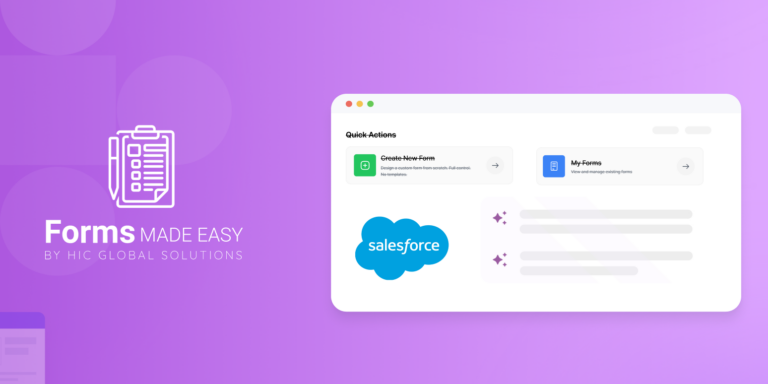



Build Your No-Code Forms in Minutes
Effortlessly create, customize, and automate forms inside Salesforce no coding needed.
Talk to Our TeamWhen it comes to Salesforce, forms are often the bridge between your business and your customers. From capturing leads to onboarding clients, the way you design and manage forms directly impacts how smoothly information flows into Salesforce. But here’s the catch—choosing the right Salesforce form builder can be confusing. With so many apps out there, how do you decide which one fits your business best?
That’s exactly what this blog is here for. We’ll walk you through the top Salesforce form builders in 2025, compare their pricing and features, and finally show you why our recently launched app, Forms Made Easy, is the perfect choice if you want simplicity, flexibility, and affordability.
Why Do You Need a Salesforce Form Builder?
Think of Salesforce as the engine of your business. Now imagine forms as the fuel that powers it. Without easy-to-use forms, customer data collection becomes messy, error-prone, and time-consuming. A great Salesforce form builder should:
- Make it easy to build forms without coding.
- Integrate seamlessly with Salesforce objects and fields.
- Handle advanced use cases (multi-step forms, conditional logic, file attachments).
- Improve customer experience while reducing manual work.
And here’s the reality: customers today expect smooth digital experiences. If your forms feel clunky or outdated, they’ll abandon them. That’s why investing in the right tool matters.
The Top Salesforce Form Builders in 2025
We’ve reviewed the most popular form builders for Salesforce and compared them across features and pricing. Let’s dive in.
1. Forms Made Easy
- Overview: It is designed to make Salesforce form building effortless for everyone from startups to large enterprises.
- Pros: Simple, intuitive UI, strong Salesforce integration, affordable pricing, and stellar support.
- Cons: Being new, it’s still expanding features, but updates are rolling out quickly!
2. FormAssembly
- Overview: A well-established Salesforce form builder with a strong focus on enterprise users.
- Pros: Advanced integrations, compliance-ready (HIPAA, GDPR).
- Cons: Steeper learning curve, expensive for small businesses.
3. Formstack for Salesforce
- Overview: A flexible builder offering automation and workflow features.
- Pros: Good for complex data collection; integrates with other apps.
- Cons: Pricing tiers climb quickly; may be overkill for simple use cases.
4. Titan Forms (formerly Titan)
- Overview: Built specifically for Salesforce users with advanced form and document needs.
- Pros: Deep Salesforce integration; powerful for enterprise workflows.
- Cons: Expensive; not ideal for startups or SMBs.
5. Gravity Forms + Salesforce Add-on
- Overview: A WordPress-based solution that connects forms to Salesforce.
- Pros: Great for businesses already using WordPress.
- Cons: Limited Salesforce-first capabilities; needs add-ons.
6. JotForm for Salesforce
- Overview: A popular drag-and-drop form builder that integrates with Salesforce.
- Pros: Easy to use; affordable for smaller teams.
- Cons: Limited advanced Salesforce features.
| Feature | Form Assembly | Formstack | Titan | Gravity Forms | Jot Form | Forms Made Easy |
| Drag-and-Drop Builder | ✅ | ✅ | ✅ | ✅ | ✅ | ✅ |
| Multi-Step Forms | ✅ | ✅ | ✅ | ❌ | ✅ | ✅ |
| Conditional Logic | ✅ | ✅ | ✅ | ❌ | ✅ | ✅ |
| Enterprise Security (HIPAA/GDPR) | ✅ | ✅ | ✅ | ❌ | ❌ | ✅ |
Pricing Comparison Table
| App | Starting Price (per month) |
| FormAssembly | $99 |
| Formstack | $92 |
| Titan | $150+ |
| Gravity Forms | $59 (annual WP plugin) |
| JotForm | $39 |
| Forms Made Easy | $19 (affordable for SMBs) |
Why Forms Made Easy Stands Out
Launching a new app in a competitive space is never easy—but Forms Made Easy is designed with one thing in mind: making Salesforce forms effortless. Here’s why it’s becoming the go-to option in 2025:
1. Simple, No-Code Interface
You don’t need to be a developer. If you can drag, drop, and click, you can build Salesforce-connected forms in minutes.
2. Affordable for All
Unlike enterprise tools that cost hundreds per month, Forms Made Easy starts with a free plan. Small businesses don’t have to compromise on quality because of budget.
3. Salesforce Integration
Forget clunky connectors. Data flows directly into Salesforce objects, whether it’s Leads, Contacts, or custom objects.
4. Secure by Design
GDPR-ready and built with security as a top priority, your customer data stays safe.
5. Scales as You Grow
From startups capturing 100 leads to enterprises capturing 100,000, the app scales smoothly without slowing down.
Use Cases for Salesforce Form Builders
Here are real-world scenarios where Forms Made Easy fits perfectly:
Lead Capture Forms : Embed forms on your website that automatically create Salesforce Leads.
Event Registration : Manage RSVPs and push attendee data directly into Salesforce campaigns.
Customer Feedback : Collect NPS surveys, product reviews, or customer satisfaction scores.
Internal Data Requests : Build internal forms for HR, IT, or operations teams.
Partner Onboarding : Streamline partner applications and store details directly in Salesforce.
Final Thoughts
Choosing the right Salesforce form builder doesn’t have to be overwhelming. While established players like FormAssembly, Formstack, and Titan are powerful, they’re often too complex or pricey for everyday businesses. That’s where Forms Made Easy comes in; it delivers simplicity, affordability, and reliability, all while keeping your Salesforce data flowing smoothly.
If you’re ready to make form building effortless, give Salesforce Form Builder, Forms Made Easy a try today.
👉 Start your free trial now and see how easy Salesforce forms can be. Book A Demo
Get Quick Answers – Visit Our Support Center Today